Development Environments
That Actually Work
Entornos de desarrollo remoto sandboxed y múltiples. Complemento ideal para v0/Vercel sobre Coolify con foco en DX y seguridad.
Why Another Dev Environment?
Las alternativas existentes no convencen
Entornos Inconsistentes
Cada developer tiene su setup. No hay reproducibilidad real.
Sin Sandboxing Real
Code-server corre como root. No hay aislamiento proper.
Agentes AI Difíciles
Integrar Claude/OpenAI agents con tu codebase es complicado.
DX vs Seguridad
O es fácil o es seguro. Rara vez ambas cosas.
La Solución: MKS DevEnv
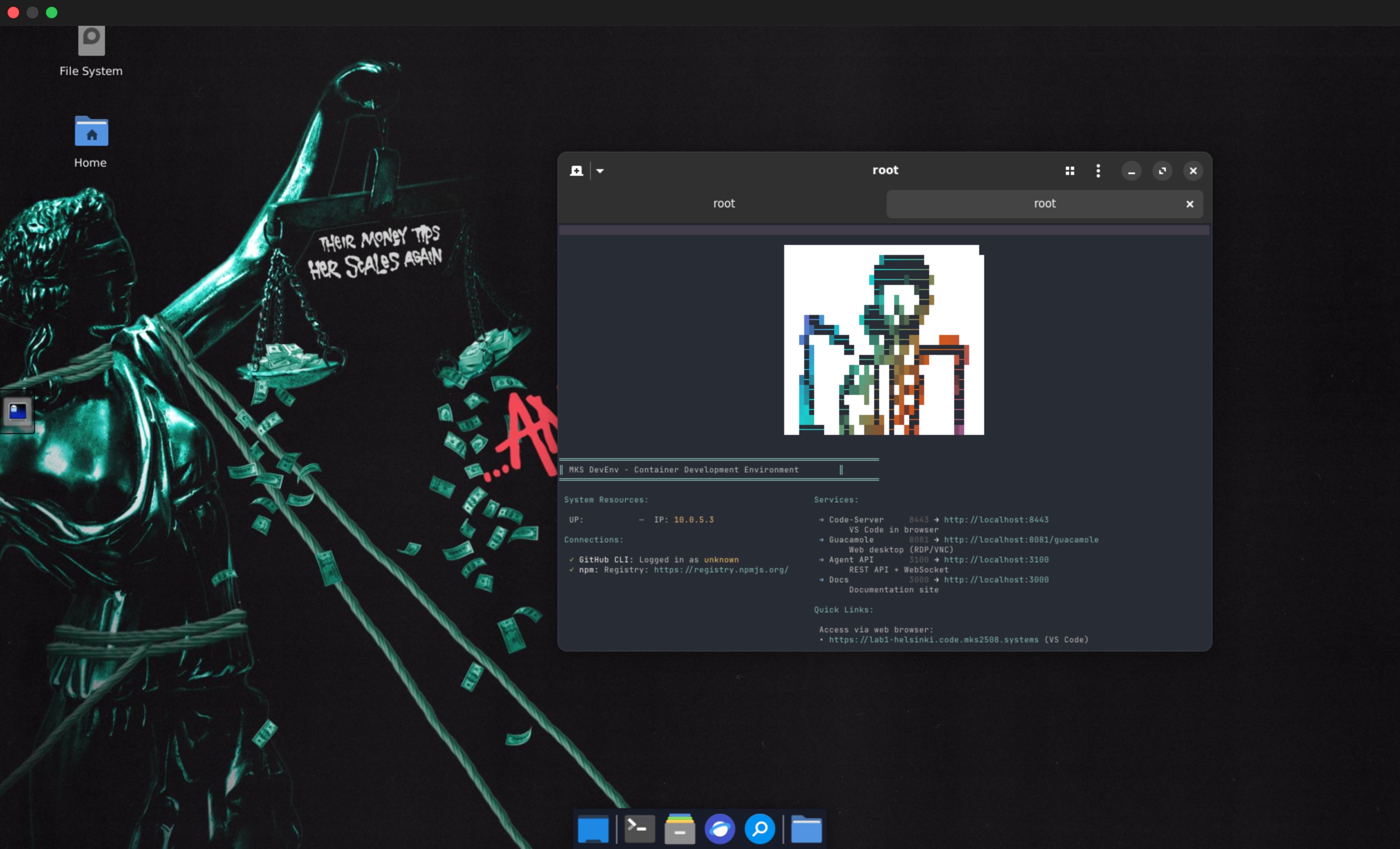
Un proyecto open source opinionado que crea entornos sandboxed y múltiples sobre Coolify. Enfocado en Developer Experience sin sacrificar seguridad. Integra agentes AI, testing automatizado, y se conecta con tus sistemas de automatización existentes.
Comparativa
¿Por qué MKS DevEnv?
| Feature | MKS DevEnv | Gitpod | code-server | Codespaces |
|---|---|---|---|---|
| Self-Hosted | ✓ | ✓ (paid) | ✓ | ✗ |
| Sandboxed Containers | ✓ | ✓ | ✗ | ✓ |
| Multi-Workspace | ✓ | ✓ | ✗ | ✓ |
| AI Agent Integration | ✓ Native | ✗ | ✗ | Limited |
| Coolify Integration | ✓ Native | ✗ | ✗ | ✗ |
| Full Desktop (XFCE4/Hyprland) | ✓ Multi-distro | ✓ (VS Code only) | ✗ | ✓ (VS Code only) |
| JetBrains Gateway | ✓ | ✓ | ✗ | ✓ (limited) |
| Open Source | ✓ MIT | ✓ | ✓ | ✗ |
| v0/Vercel Complement | ✓ Designed for it | ✗ | ✗ | ✗ |
Multi-Distro
Elige tu Stack: Ubuntu o Arch
Soporte nativo para múltiples distribuciones con entornos de escritorio optimizados
Ubuntu 24.04
XFCE4 + X11
- XFCE4 desktop con tema Synthwave
- Acceso RDP (xrdp:3389) nativo
- Picom compositor con blur/glow
- Compatible con JetBrains Gateway
- LTS estable y soporte extendido
- Image size: ~12GB
--distro ubuntuArch Linux
Hyprland + Wayland
- Hyprland con WayVNC para VNC nativo
- Aceleración GPU integrada
- Waybar + fuzzy launchers modernos
- Rolling release, siempre latest
- Footprint más pequeño: ~4GB
- Build time más rápido: ~5min
--distro archEjemplo de uso:
# Ubuntu workspace (default)
$ devenv create myproject

# Arch con Hyprland
$ devenv create myproject --distro arch
Philosophy
Open Source & Opinionado
Este proyecto nació de estar cansado de configurar mis dev envs a mi gusto y mantener mis dotfiles. Decidí integrarlo todo en una imagen reutilizable y desplegarla en Coolify — y vi el potencial.
Dotfiles + Imagen Reutilizable
Cansado de configurar mis entornos una y otra vez. Integré mis dotfiles, ricing y configs en una imagen Docker reutilizable.
Ecosistema de Automatización
Suite completa para creación, configuración y deploy de bots y templates.
CLI, MCPs, Telegram API, y uso como librería.
No otro wrapper de OpenClaw
No quería hacer otro instalador simple como los que han salido en Twitter. Integré OpenClaw a mi infraestructura existente para hacerlo realmente útil — mis agentes propios tienen un lugar donde vivir.
Workspaces Reproducibles
Comparte entornos consistentes con tu equipo o usa testing ephemeral para PRs.
Aprende Infra
Configuraciones opinionadas como referencia para aprender Docker, Coolify y automatización.
Telegram API
Gestiona workspaces y proyectos vía Telegram con mi suite de automatización.
Capabilities
Todo lo que necesitas en un solo lugar
Multi-Distro Desktop
Ubuntu (XFCE4+X11) o Arch (Hyprland+Wayland) con GPU acceleration
AI Agents Native
Integra Claude, OpenAI o agentes custom directamente en tu workspace
Web-Based Access
Apache Guacamole for zero-install remote desktop

Multi-IDE Support
VS Code Desktop, Code-Server + JetBrains Gateway
Testing Framework
Playwright E2E with all browsers


Modern Runtime
Isolated Environment
Containerized with persistent Docker volumes — your data stays safe
Native Protocols
Direct Access
Connect directly using native desktop clients for best performance
RDP (Windows Remote Desktop)
Full desktop via Windows Remote Desktop Client or Remmina
77.42.25.248:3389Clients: Windows: mstsc.exe | Mac: Microsoft RD | Linux: Remmina
X2Go (High Performance)
Best performance remote desktop with lower latency than RDP/VNC
ssh root@77.42.25.248 -p 2223Clients: X2Go Client (Session: XFCE)
SSH Gateway (JetBrains)
SSH access for JetBrains Gateway or terminal
ssh root@77.42.25.248 -p 2223Clients: JetBrains Gateway | Terminal
Quick Start
Running in Minutes
# Install devenv CLI
$ npm install -g @mks-devenv/cli

# Create Ubuntu workspace (default)
$ devenv create myproject --template bun-typescript

# Create Arch workspace (Hyprland + Wayland)
$ devenv create myproject --distro arch

# List all workspaces
$ devenv list

# Open VS Code in browser
$ devenv open myproject
Configuration
Environment Variables
Set these in your .env file before running docker compose.
GUACAMOLE_PASSWORDPassword for Guacamole web interface admin user
VNC_PASSWORDVNC password for direct desktop access
CODE_SERVER_PASSWORDPassword for VS Code Server access
SSH_ROOT_PASSWORDSSH password for root user access
POSTGRES_PASSWORDPostgreSQL password for Guacamole database
See configuration docs for complete setup guide.
Ready to Build?
Get started with MKS DevEnv and deploy your containerized development environment.